

The Moment That Made the Project Obvious
There is a food truck in my neighborhood that people do not just visit for the menu. They go back because the owner remembers them. If you are a regular, you can be three people back in line and still get the nod: spicy bowl, no cilantro, extra napkins. It is a tiny interaction, but it feels like hospitality in its purest form. Then the flow breaks. The owner turns to a POS terminal and has to tap through modifiers, notes, and payment screens for an order he already knows by heart. That is when the product idea clicked for me: the software was treating loyal regulars like anonymous tickets. Most POS products are excellent at recording payments. They are much weaker at remembering relationships. I wanted to see whether I could bring a fine-dining guest ledger into a high-volume food-truck workflow: dietary notes, favorite orders, loyalty state, order history, feedback, and revenue intelligence in one operational surface.What I Built
The result is Jacket Potato Food Truck POS & CRM, a hyper-local CRM for food trucks and small food vendors. It is not trying to replace every part of Square or Toast. The thesis is narrower: help a small team recognize regulars faster, reduce repeated order friction, and learn from lightweight customer feedback without adding enterprise complexity.- A mobile-first staff app with live queue management, out-of-stock alerts, revenue snapshots, and quick order creation.
- A front-of-house customer profile with dietary tags, loyalty status, order history, and a one-click reorder flow.
- A direct SMS feedback loop that asks for post-order feedback and extracts structured preferences.
- A business-intelligence layer that connects sales data with location and weather context.
- A project blueprint view so future contributors can understand the app structure and backend logic.

Dashboard overview: revenue, top items, reorder signals, and action-required alerts.
Architecture
I used Autocoder less like a boilerplate generator and more like an implementation partner. The project touched UI state, backend APIs, webhook flows, database models, and external services, so the real test was whether the tool could keep context across layers without flattening the architecture into a mess.Module 1: The Front-of-House Guest Profile
The front-of-house screen is built around speed. The mobile preview opens with the information a food-truck operator needs during service: out-of-stock items, revenue, order count, average ticket, top topping, and the live queue. In a lunch rush, saving 15 seconds on a regular’s order is not a design nicety; it can mean a shorter line and more completed tickets. The customer detail page puts the important information where staff can act on it immediately: allergy notes, dietary preferences, loyalty status, recent orders, and the customer’s usual order. The key interaction is the one-click reorder. Instead of opening a menu, re-selecting modifiers, and retyping notes, staff can send a known custom order straight into the order flow. That is where the CRM becomes more than a database: it makes recognition operational.
Mobile customer profile: dietary notes, loyalty card, and visit history.
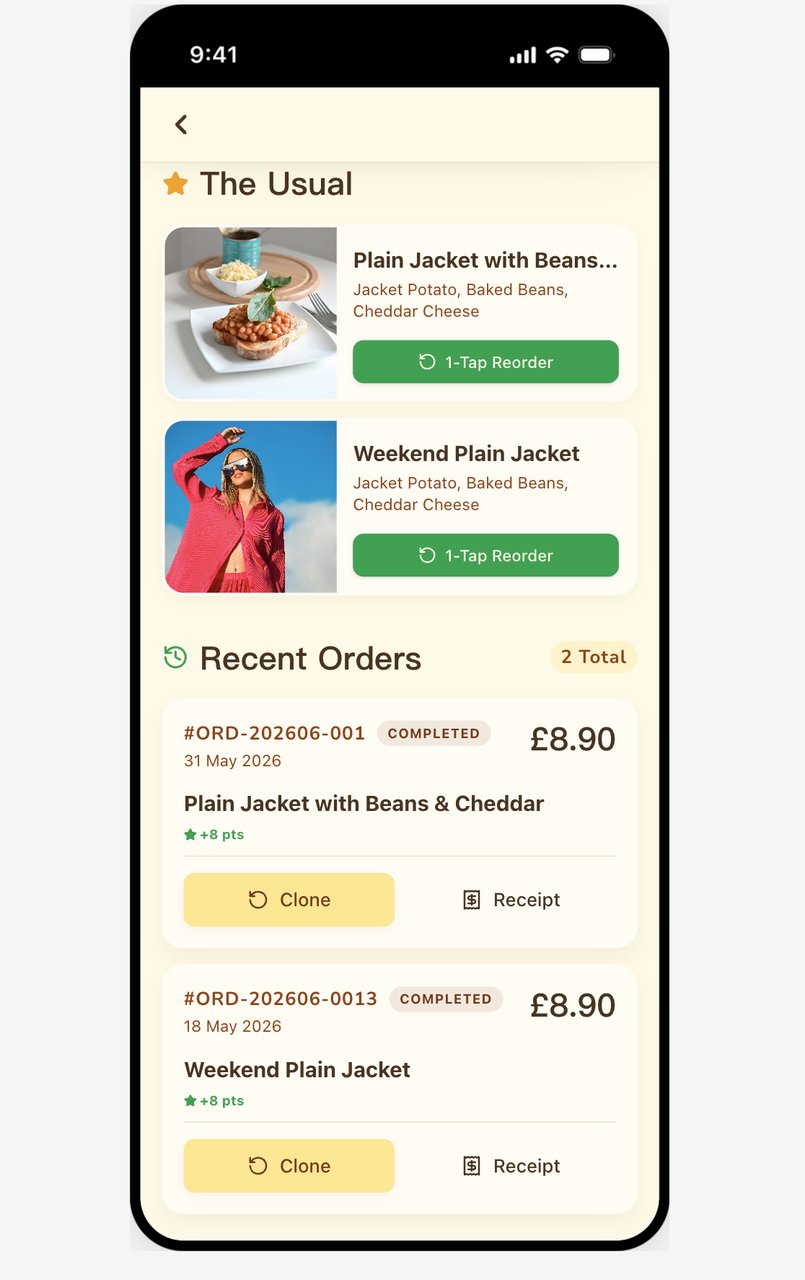
The Usual and recent-orders flow: recognition turns into action quickly.
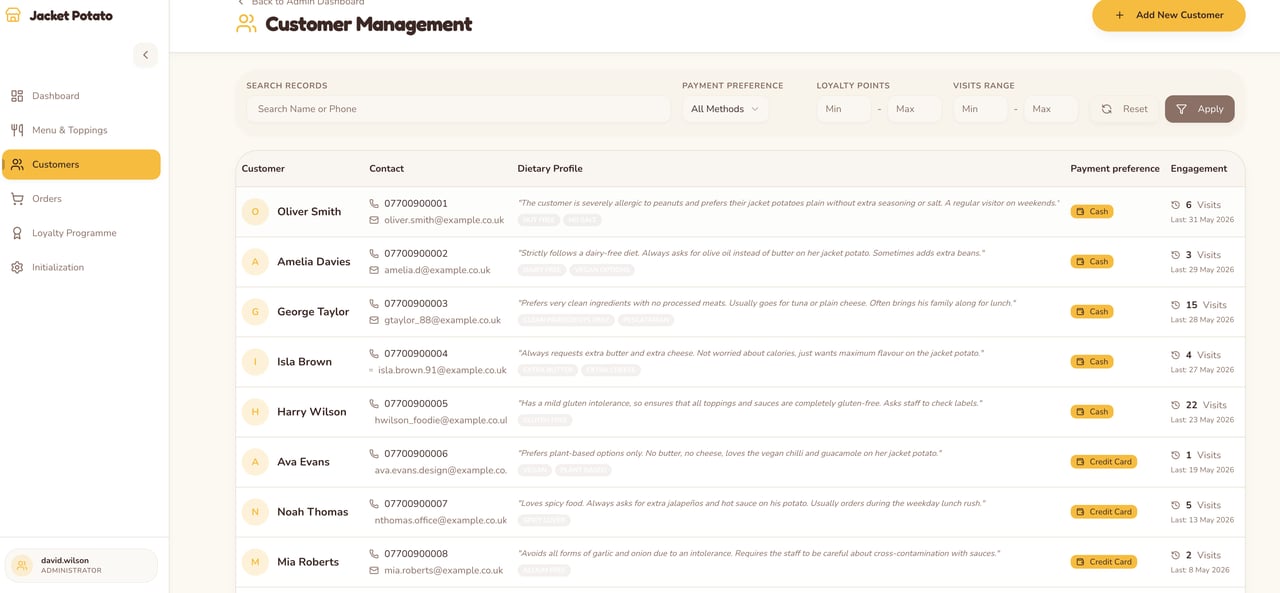
Customer management view for browsing regulars, tags, spending, and loyalty signals.
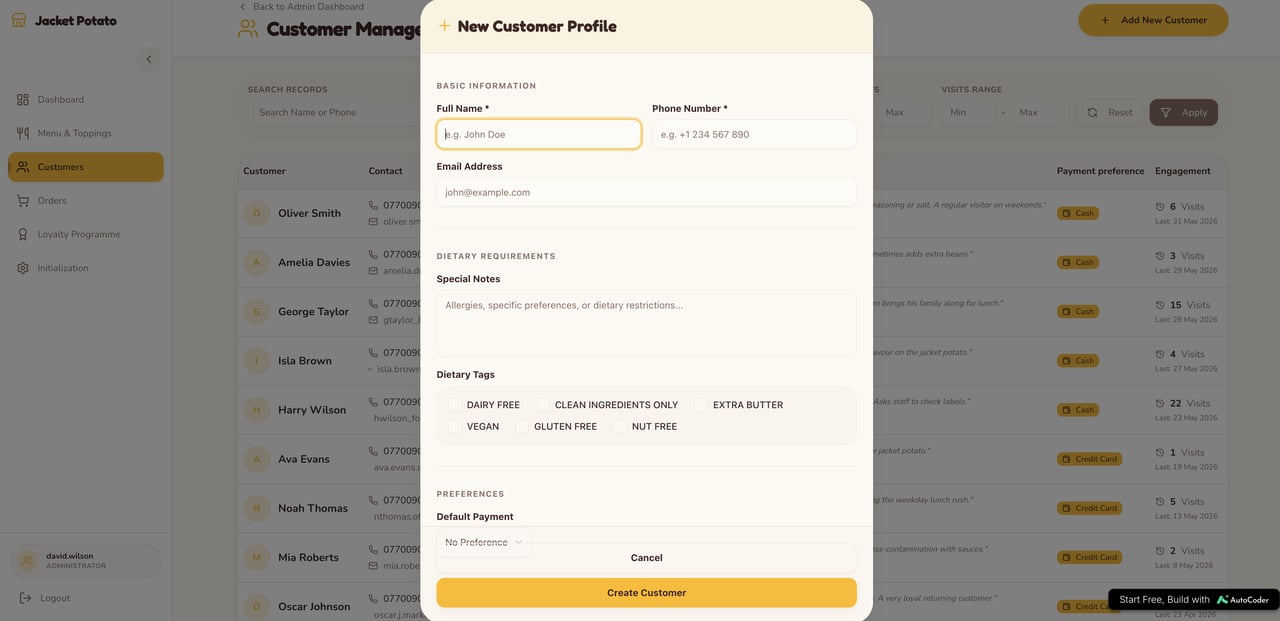
New customer profile modal with structured fields instead of free-form notes.
Module 2: SMS Feedback That Becomes Usable Data
Email surveys are easy to ignore, especially for quick-service meals. I wanted a feedback loop that felt closer to a text from the owner than a corporate NPS form. After an order is completed, FastAPI can trigger a background job that sends a short Twilio SMS asking how the meal was. The important part is what happens next. The reply is not only stored as raw text. It is passed through a lightweight OpenAI extraction step that converts casual feedback into structured fields the business can use the next time that customer visits.Module 3: Revenue ETL for Real Operating Questions
My background includes analytics work, so I did not want the app’s data to die inside nested JSON blobs. Food-truck revenue depends on context: location, daypart, weather, event traffic, menu availability, and repeat customers. If that data is modeled cleanly, a small vendor can ask practical questions without hiring a data team. The Revenue ETL module flattens orders, customer state, menu items, loyalty activity, location context, and weather data into an analytics-ready payload. Instead of exporting a pile of nested objects, the owner can drop the output into SQL, Pandas, or Power BI and answer questions like:- Which item sells best at the Downtown Square location?
- Do rainy days reduce average ticket size, or do they shift demand toward hot items?
- Which toppings create operational bottlenecks during peak hours?
- Are loyalty customers ordering more often, or simply redeeming more discounts?
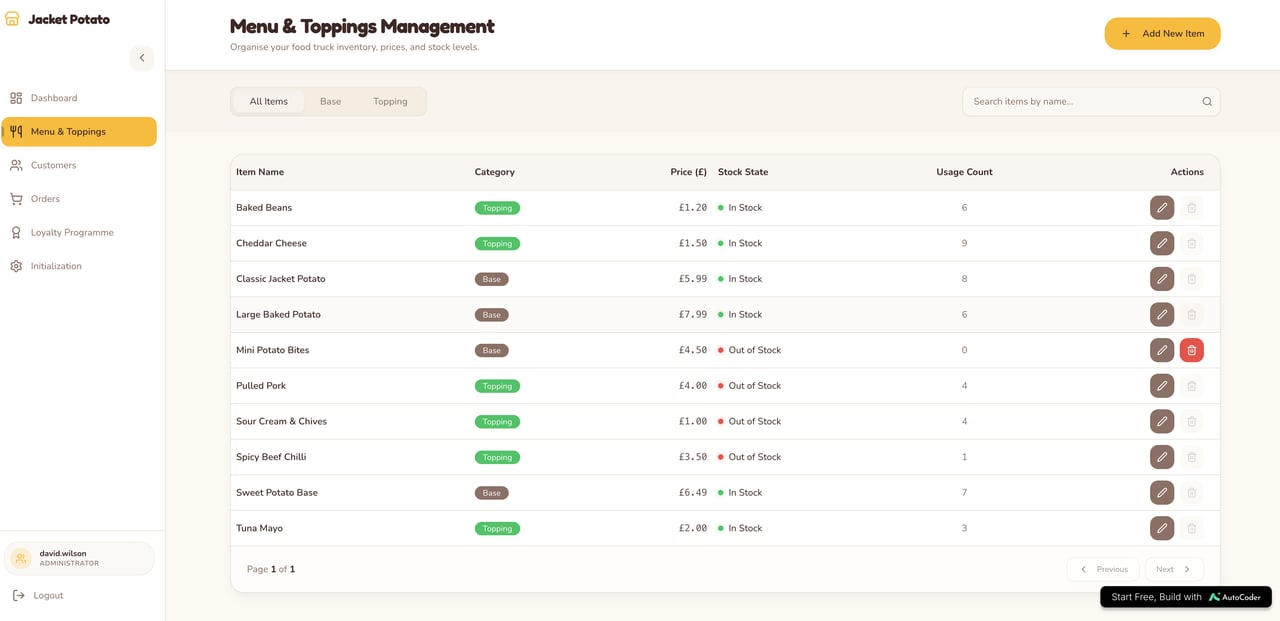
Menu and toppings management: a clean operational source for item-level analytics.
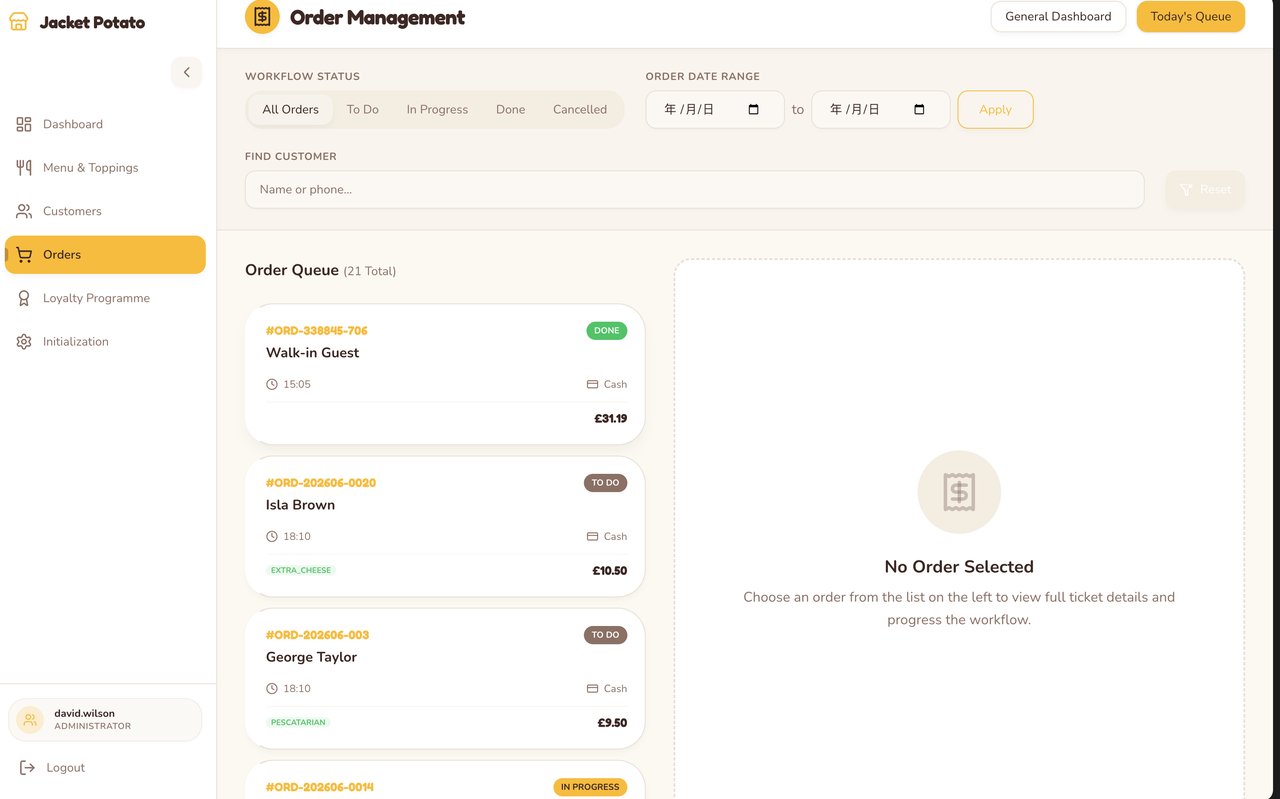
Order management view designed around active tickets and fulfillment status.
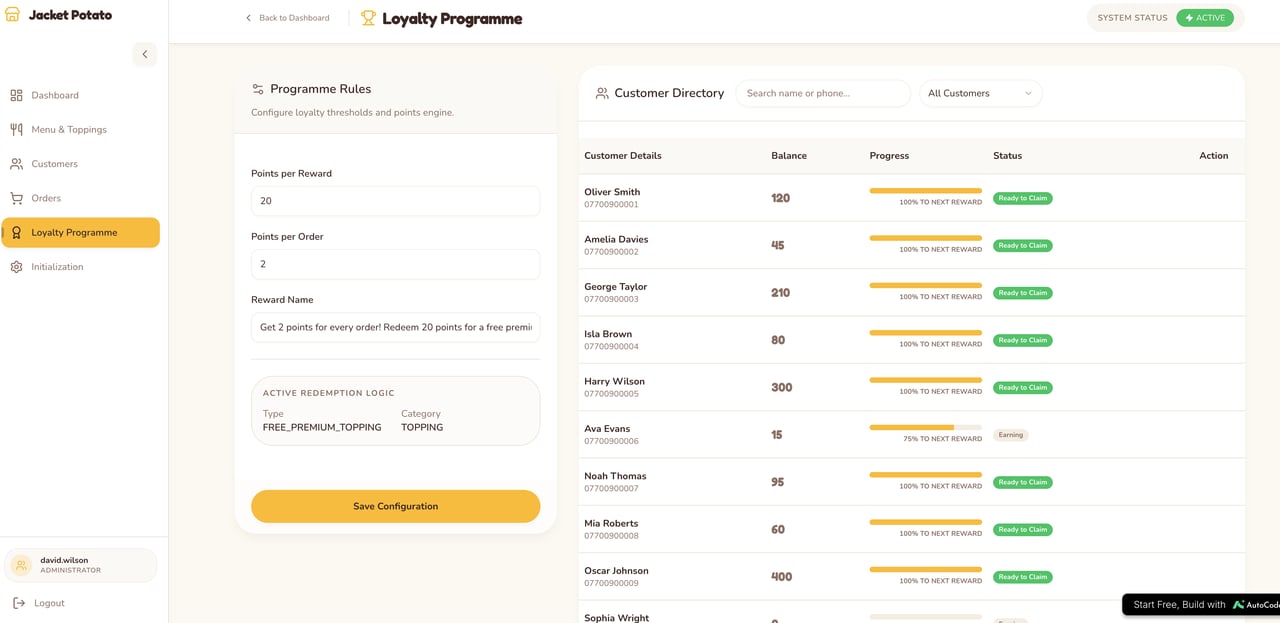
Loyalty program dashboard for customer point balances, tiers, and rewards.
The 500 Error That Changed the Workflow
The most useful lesson came from the part that failed. Autocoder was moving quickly, and I got overconfident. I gave it one large master prompt asking for a full system rollout: inventory, ETL views, fleet shifts, new dashboard modules, chart components, migrations, and external API hooks all at once. The static checks looked fine. Then I opened localhost and got a 500 Internal Server Error. The failure was not mysterious in hindsight: I had introduced server-rendered chart components, new backend routes, database changes, and integrations that expected Twilio and OpenWeather environment variables before the runtime was ready for them. This is where Autocoder became most valuable. I gave it the error logs, asked it to unwind the rollout, and moved into a safer iteration strategy.- Scaffold static Next.js UI with mock data first.
- Verify that every new route renders without touching external services.
- Introduce FastAPI endpoints one module at a time.
- Run database migrations only when the corresponding UI and service contracts are clear.
- Add environment-variable checks and graceful fallback states before enabling integrations.
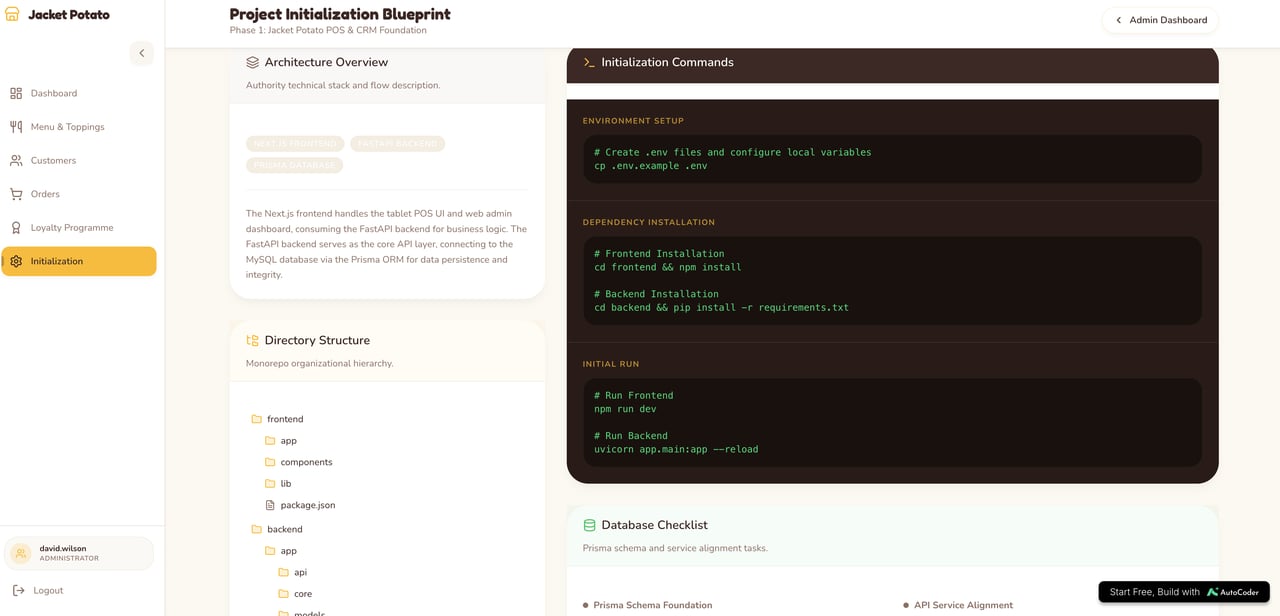
Project blueprint view: useful for keeping generated architecture understandable.