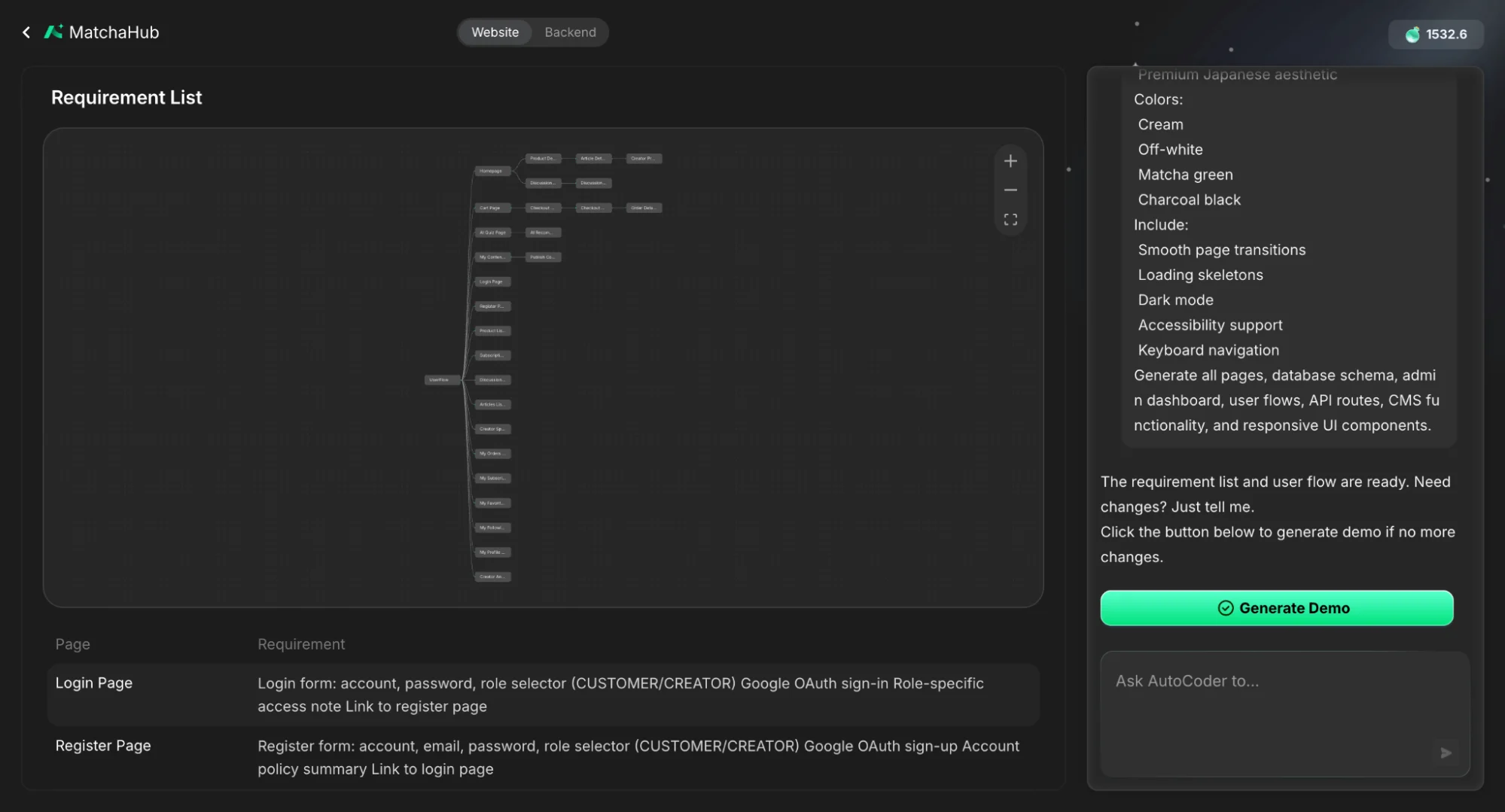
Every AI coding tool user knows the trap: you write a detailed prompt, the AI spits out a full project, and it looks great — until you realize the user flow is wrong and the database relationships are subtly broken. Fixing it means untangling code that was never designed to be untangled. The root cause is simple: jumping from prompt straight to code skips the most important step in software development — planning. Professional teams don’t ship production code until the architecture is reviewed. AI tools should be no different. That’s where AutoCoder’s Visual User Flow comes in. It inserts a planning layer between your prompt and the generated code. You submit a prompt — say, “build a camera rental marketplace” — and AutoCoder first generates an interactive visual map of your entire user journey. You review the blueprint, correct any misinterpretations, and only then does it generate code against the approved logic.
AutoCoder Visual User Flow requirement list mapping the user journey with page-level requirements for login and registration

What the Visual Map Covers

  • Entry points. Where each user type lands and what they see. No more discovering three hours in that every user got the same landing page.
  • Component actions. What each click actually triggers. Does “Book Now” launch Stripe or open a messaging modal? These details have cascading consequences and are easy to miss in text prompts.
  • Data destinations. Exactly which database table each action reads or writes, making your data architecture transparent from the start.
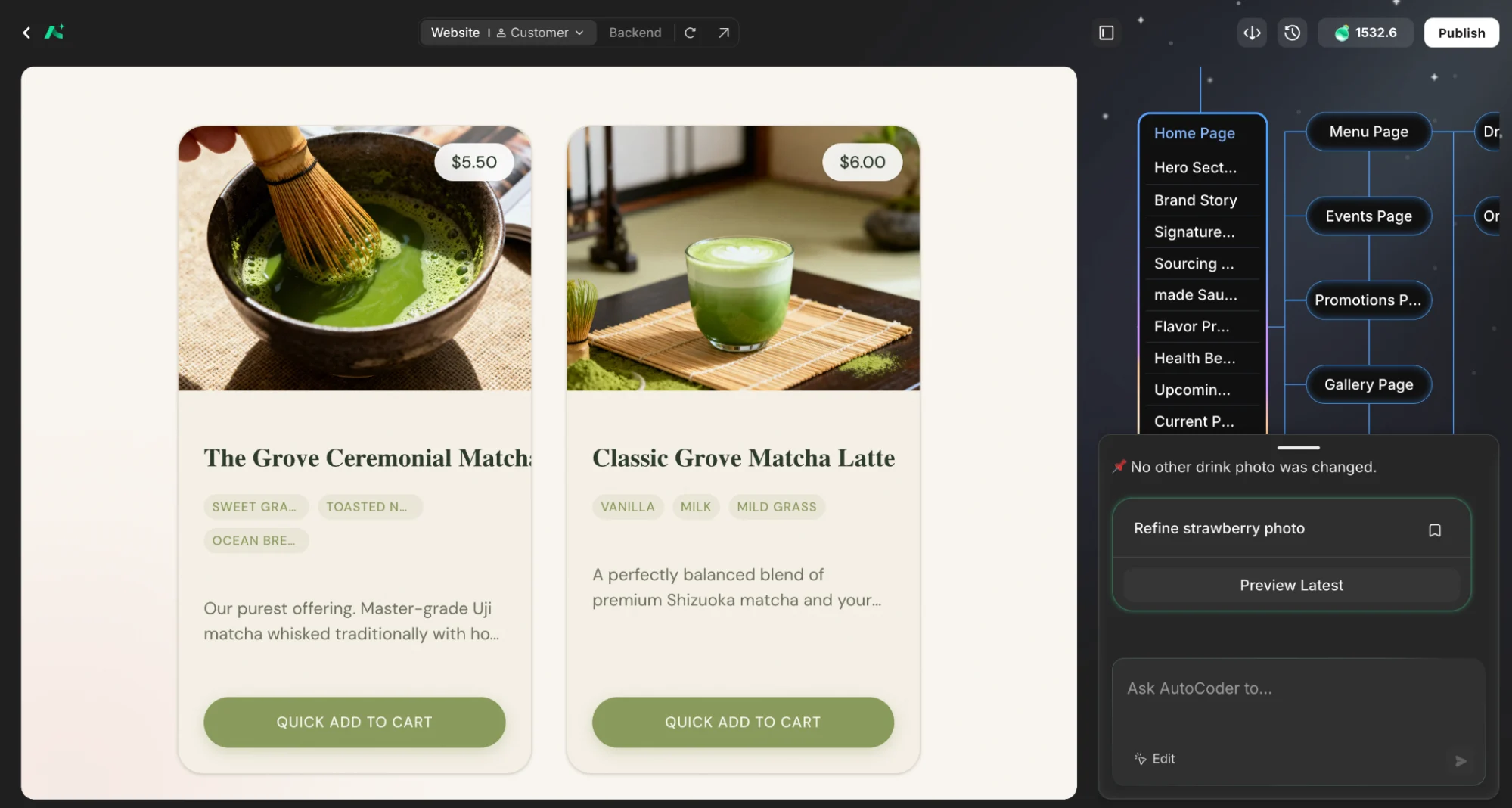
AutoCoder editor showing a generated matcha storefront preview next to the visual page map of the site structure

Why Blueprint-First Matters

The value is immediate. If the AI assumes public checkout but you need a subscription wall, you catch that in the flowchart — not after hundreds of lines of backend code. Correct the misalignment in seconds, confirm, and the code reflects your actual intent from the first generation. It also opens the door for non-technical team members. Founders and PMs don’t need to read TypeScript to see a broken flow — they just follow the visual map. In an industry where 66% of developers report that “almost right but not quite” AI code is their biggest frustration, and 69% won’t trust AI with project planning, a visual verification layer isn’t a luxury — it’s the missing piece. Are you team “blueprint first,” or do you prefer jumping straight into the code?