Turn a Google Maps business listing into a professional, editable full-stack website with AutoCoder.cc — paste a Share link, review the imported business details, photos, and reviews, and generate the site with one click.
Turn a Google Maps Business Listing into a Website
Transform a Google Maps business listing into a professional, editable website — without writing code or manually organizing business information.Simply paste the business’s Google Maps Share link. AutoCoder will retrieve the available public information, display it for confirmation, and generate a complete website based on the business listing.
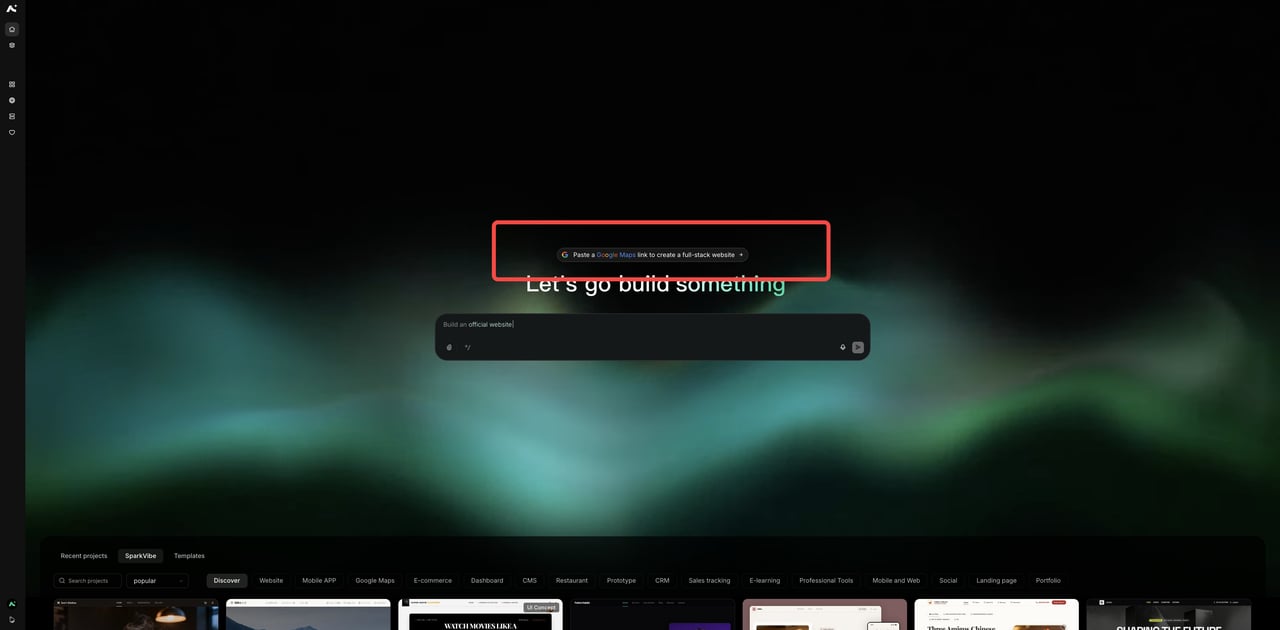
After logging in, click Paste a Google Maps link to create a full-stack website above the input box on the AutoCoder homepage, or use the direct-access link at the end of this page.
Google Maps Generator entry above the prompt box on the AutoCoder homepage.
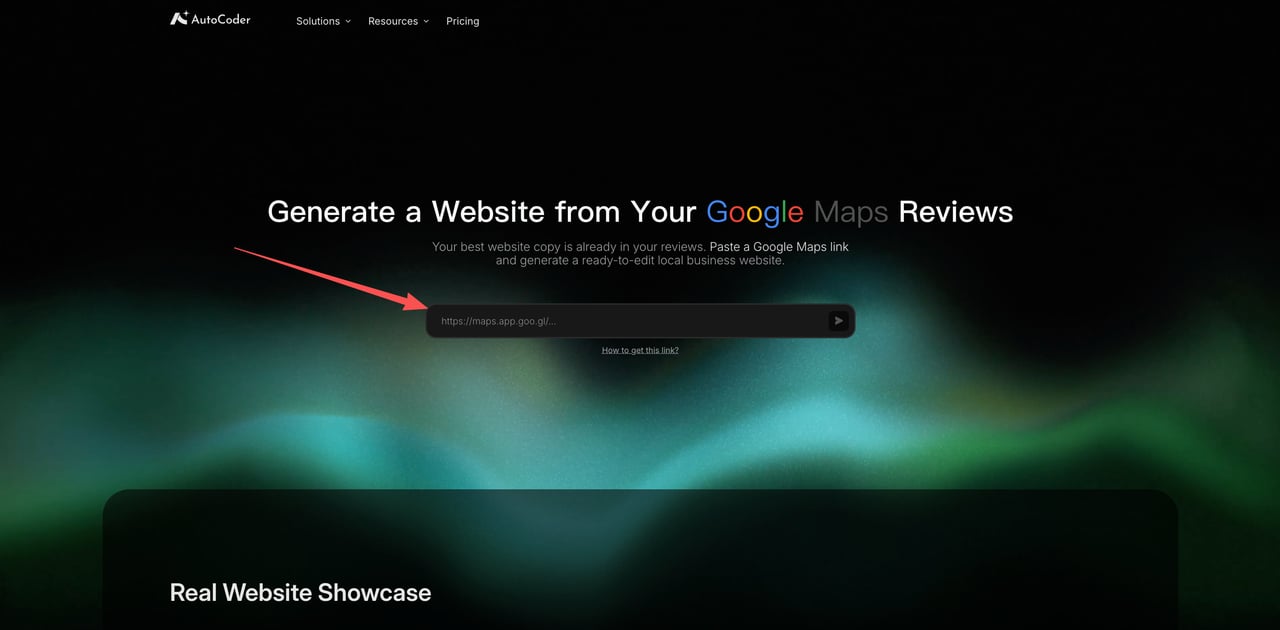
The Google Maps Website Generator page, ready for a business Share link.
2
Find the business on Google Maps
Open the specific business listing you want to build a website for.
3
Click Share and copy the business link
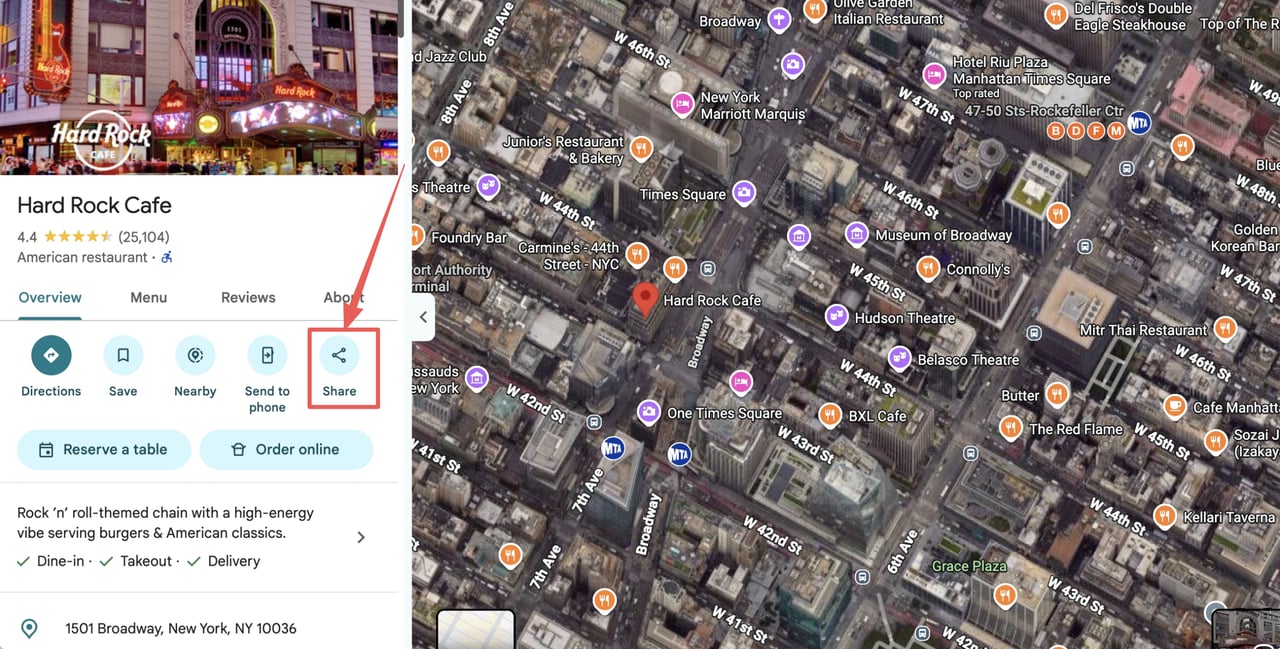
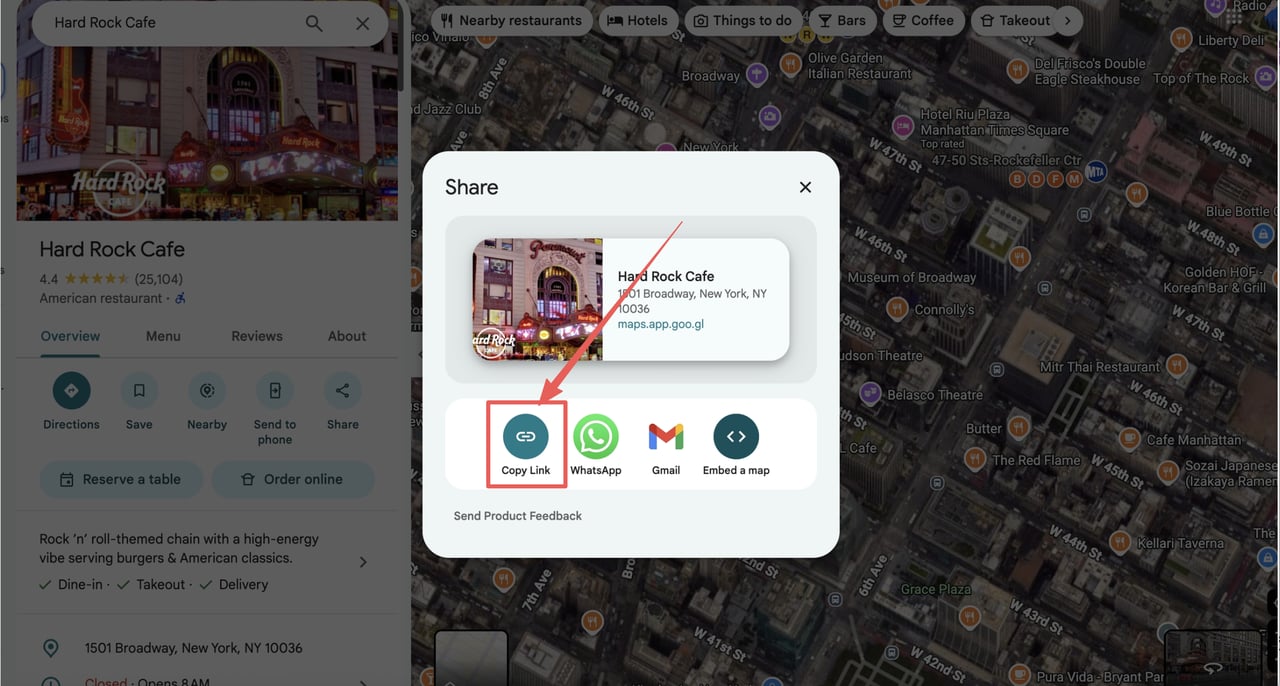
On the listing, select Share, then Copy link.
Select Share on the Google Maps business listing.
Select Copy link in the Share dialog.
4
Paste the link into the AutoCoder Google Maps Website Generator
Paste the copied Share link into the input field on the generator page.
5
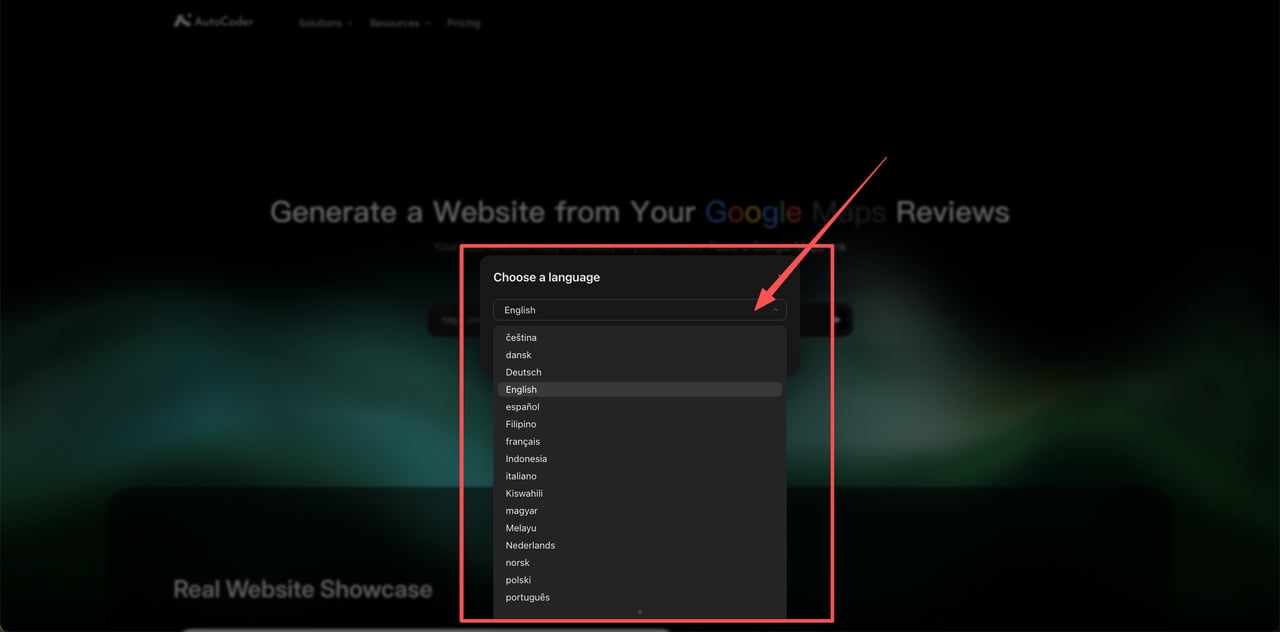
Choose a language
Select the language for the generated website from the dropdown.
Choose the website language before generating.
6
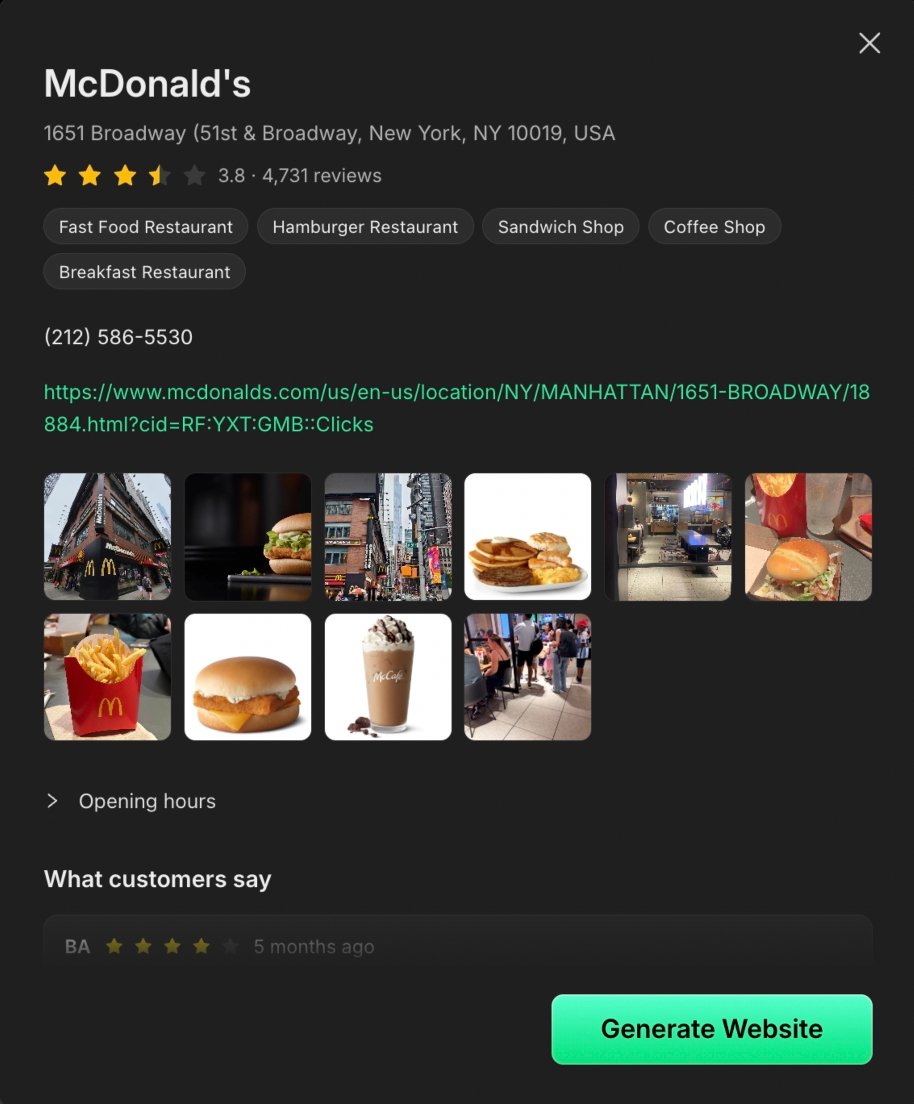
Review the imported business information
Confirm that the preview shows the correct business, with its details, photos, opening hours, and customer reviews.
The imported business information, ready for review.
7
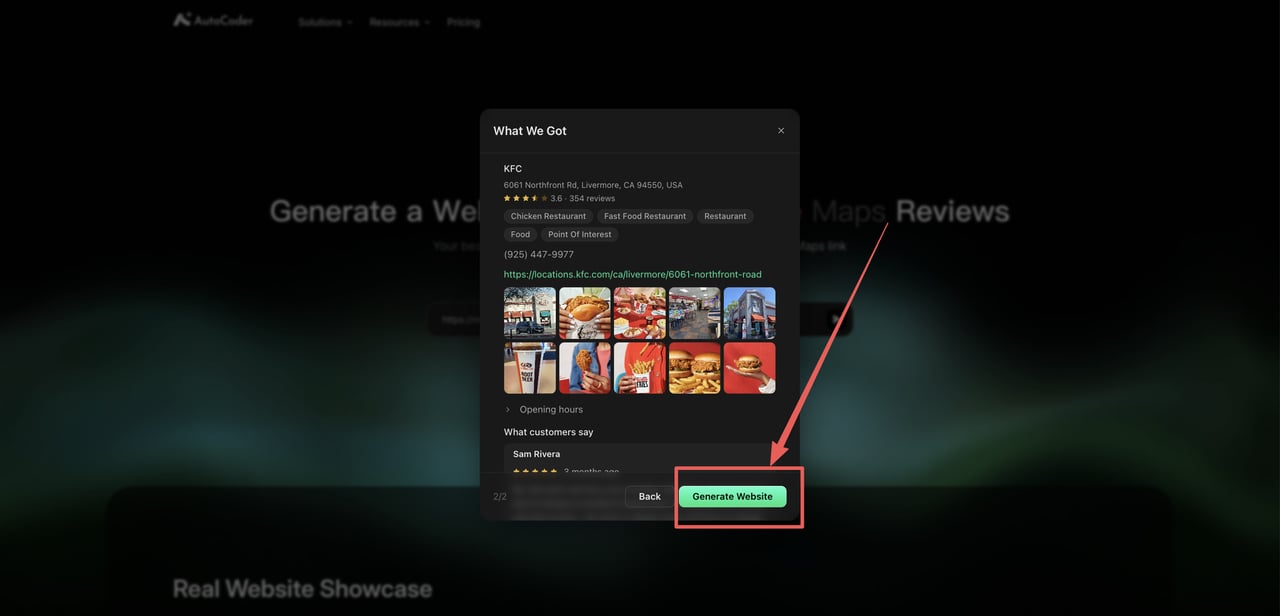
Click Generate Website to create the project
Select Generate Website to create the editable, full-stack project.
Review the imported business details, then select Generate Website.
Please use the Share link from a specific business listing rather than a search-results page, directions link, or the general Google Maps homepage.