
Luxury Jewelry Campaign Website
AURORA EDITORIAL
A visual-first editorial campaign concept selected to match the brand-site and landing-page intent common among Framer users.
View templateAutoCoder.cc and Framer AI can both begin with a prompt, but they optimize for different outcomes. AutoCoder generates full-stack web applications; Framer combines AI agents with a visual canvas, CMS, SEO, and managed website hosting.
Build a premium editorial site with a CMS, member accounts, saved collections, an admin workflow, and a production deployment.
Choose AutoCoder.cc when the product needs generated frontend, backend logic, database structure, authentication, roles, and exportable source code. Choose Framer AI when the priority is a highly controlled marketing site, portfolio, or CMS website refined on a visual canvas and hosted by Framer.
A factual comparison of product scope, workflow, infrastructure, ownership, and fit. Conditional capabilities are labeled instead of presented as simple yes/no claims.
Swipe horizontally to view the full comparison.
| Area | AutoCoder.cc | Framer AI |
|---|---|---|
| Core product | End-to-end AI platform for generating websites and full-stack web applications. | Professional website builder with AI agents, a freeform visual canvas, CMS, SEO, collaboration, publishing, and managed hosting. |
| Core approach | Describe requirements; AutoCoder plans and generates a cohesive React-based interface, backend, database structure, and app logic, then supports chat-based iteration. | Start from a prompt, brief, blank canvas, template, or Figma; AI proposes structure and content, then the user refines layout, typography, components, breakpoints, CMS, and publishing visually. |
| Best for | Data-driven web apps, dashboards, internal tools, customer portals, marketplaces, and websites that need application logic. | Marketing sites, landing pages, portfolios, agency sites, and content-rich CMS websites where visual control is central. |
| Target users | Founders, product managers, operators, agencies, and developers who want a guided path from requirements to a runnable app. | Designers, marketers, agencies, startups, and teams maintaining professional websites without a traditional engineering handoff. |
| Starting point | Natural-language product brief or a remixable template. | Prompt, campaign brief, blank canvas, template, or Figma design. |
| AI workflow | Requirement analysis → generated full stack → preview → conversational changes → publish; complex outputs still require review and acceptance testing. | AI agents draft or edit pages, copy, CMS structure, and code components; the editable canvas remains the main place for visual refinement and publishing. |
| Frontend support | Generates responsive React interfaces using an opinionated modern stack; suitable for multi-page product UI and app states. | Strong visual responsive-site workflow with components, effects, breakpoints, and optional React code components. |
| Backend and database | Generates backend logic, Prisma-backed data structures, admin capabilities, and data-driven flows as part of the project. | Conditional: built-in CMS, forms, analytics, and site services cover website needs. General application backends or databases normally require external services, integrations, or custom code. |
| Authentication | Can generate application authentication, JWT-based flows, roles, and permissions for supported project patterns. | Conditional: site password protection is a plan feature; end-user accounts and app-style authorization generally depend on external services or custom integration. |
| Integrations | Hosted subdomains, custom domains, Google sign-in, backend tools, and generated API/integration logic; exact third-party setup varies by project. | Built-in integrations, plugins, embeds, custom scripts, and React code components; common uses include analytics, forms, scheduling, and marketing tools. |
| Deployment | Publish to an AutoCoder-hosted URL, connect a custom domain, and manage live projects from Workspace. | One-click publishing to a Framer subdomain or custom domain with Framer-managed hosting; Pro includes staging, with advanced hosting options/add-ons. |
| Source ownership / export | Paid Standard and Pro plans include source-code export; the Free plan does not. | Framer does not provide HTML or full published-site source export for self-hosting. Sites rely on Framer-managed services; CMS rich text can be copied as Markdown. |
| Pricing model | Free: $0 with 10 credits. Standard: $25/month with 45 credits. Pro: $60/month with 180 credits. Source export starts on paid plans. | Yearly-billed pricing shown by Framer: Free $0; Basic $10/month; Pro $30/month; Enterprise custom. Seats, AI credits, usage limits, and add-ons can add cost. |
| Learning curve | Prompt-first and accessible to non-coders; detailed data, roles, and edge cases benefit from precise requirements and product judgment. | Accessible for users familiar with design tools; mastering responsive layout, components, CMS modeling, and code components takes practice. |
| Best-fit projects | SaaS MVPs, portals, marketplaces, dashboards, CRMs, operations tools, and dynamic websites with backend workflows. | Brand sites, portfolios, launch pages, campaign sites, agency websites, blogs, directories, and visually refined CMS sites. |
| Poor fit | Projects requiring an unrestricted choice of programming language or stack, deep work inside a large existing repository, or native-only iOS/Android delivery. | Products whose core is complex backend logic, fine-grained end-user authorization, or self-hosted source ownership without relying on external systems. |
Selected to reflect the search intent of this comparison. Approved project URLs and Template-generated long screenshots must replace the clearly marked production placeholders before publishing.
A visual-first editorial campaign concept selected to match the brand-site and landing-page intent common among Framer users.
View template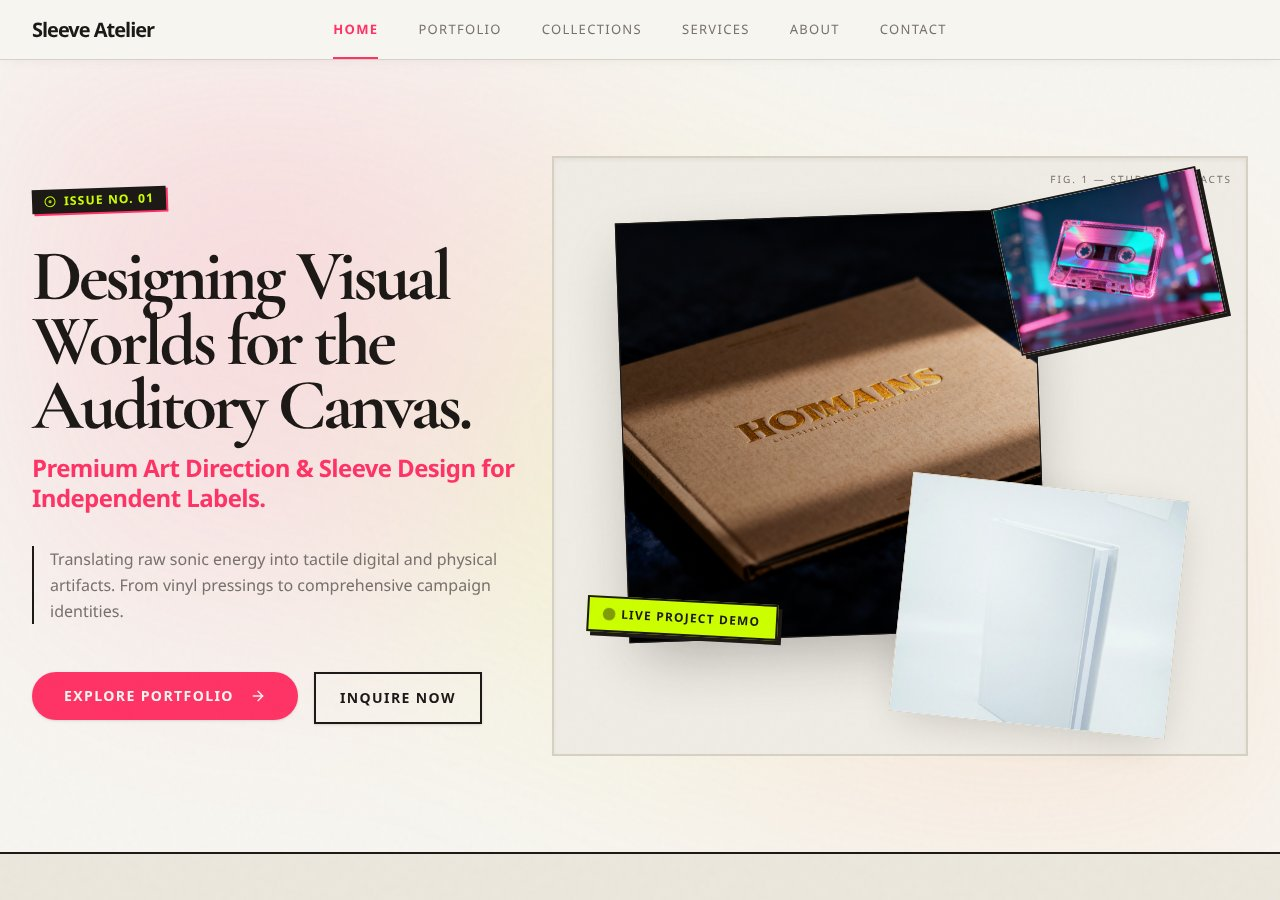
A premium portfolio or creative-studio site selected to demonstrate responsive presentation, visual hierarchy, and creative direction.
View template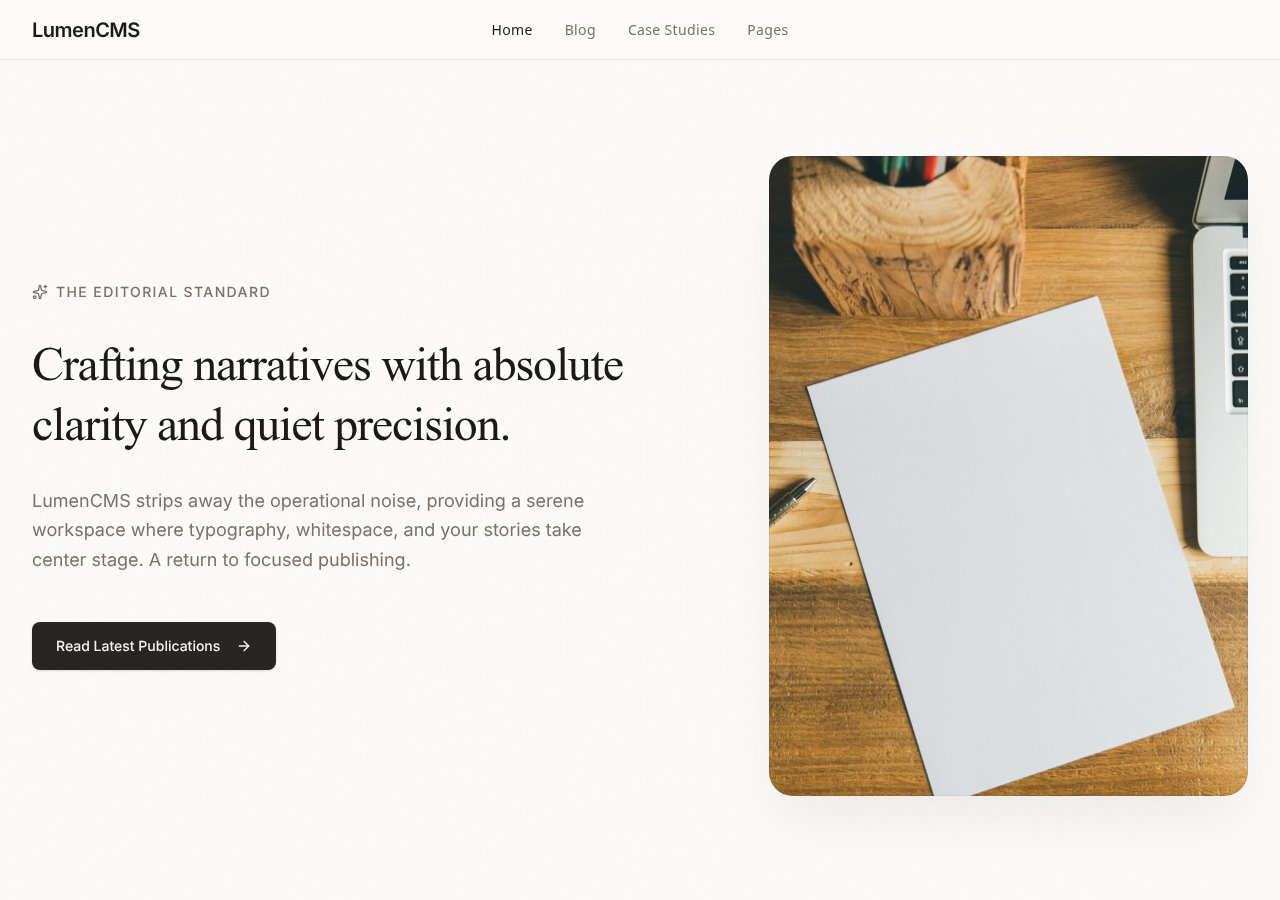
A content-led website concept that demonstrates how a polished front end can extend into structured publishing and data-backed content workflows.
View templateAutoCoder’s value is strongest when users, data, roles, and workflows belong in the original product brief—not in a later integration plan.
Generate application structure, data models, authentication, roles, and backend workflows when a website becomes a product.
Standard and Pro plans include source-code export, which supports developer handoff and alternative hosting workflows.
Describe users, data, permissions, and workflows in one brief instead of assembling separate site and backend systems.
The best tool follows the platform, maintenance owner, and operational requirements—not the broadest marketing claim.
Published prices and availability are time-sensitive. Taxes, usage overages, enterprise terms, add-ons, external service fees, and future changes are not included.
Both offer free entry points. AutoCoder charges by plan and AI credits; Framer combines site plans with AI credits, usage limits, seats, and optional add-ons. Compare the complete bill for your actual team and traffic.
AutoCoder uses an opinionated React/full-stack web architecture. Framer publishes websites from its visual platform and supports React code components, but does not export the complete site as self-hostable HTML.
AutoCoder can generate integration logic inside an application. Framer offers plugins, embeds, custom scripts, and components that are particularly strong for website, analytics, content, and marketing workflows.
Pricing and plan details checked against official pages on August 24, 2026.
Compare the documented creation steps, review points, and delivery paths before choosing the workflow that fits your product and team.
These fit statements are based on documented product scope. Output quality still depends on the prompt, project complexity, integrations, review, and testing.
Official documentation establishes product positioning and published capabilities. Conditional implementation details and untested comparative outcomes are labeled separately.
Core positioning, published pricing, workflow, deployment, and source/export statements checked against first-party pages.
May require a specific plan, external service, integration, developer setup, or project configuration.
No controlled benchmark was run for generation speed, total cost, maintainability, reliability, or output quality.
Direct product, documentation, pricing, help-center, repository, and release pages used for this comparison.
Concise answers for users comparing product scope, ownership, workflow, and platform fit.
Not universally. AutoCoder.cc is the better fit when the deliverable is a full-stack web application with generated backend, database, authentication, and an export path. Framer AI is often the better fit for design-led marketing, portfolio, or CMS websites maintained on a visual canvas.
Framer includes CMS, forms, analytics, hosting, and integration options. A general-purpose application backend, relational database, or fine-grained end-user authorization typically requires an external service or custom integration.
No. Framer’s official help center states that it does not offer HTML export for self-hosting because published sites rely on Framer-managed services.
Yes on paid Standard and Pro plans, according to AutoCoder’s current documentation. The Free plan does not include source-code export.
Framer is purpose-built for visually refined websites and is a strong default for portfolios, brand sites, and campaign pages. AutoCoder is more relevant when the same project also needs application logic, data, authentication, or deeper backend workflows.
No. Those comparative claims are marked Not independently tested. Pricing and documented features were verified from official sources, but no controlled build benchmark was run.
Describe the users, data, roles, and workflows. Generate, review, refine, and publish with AutoCoder.cc.
Try AutoCoder Free